Built by dispatchers • CAD/USD native • Browser-based

The TMS built by dispatchers, for dispatchers.

Stop fighting spreadsheets and clunky software. Get total visibility, quick data entry, and mobile freedom—without enterprise bloat.
No installs Cancel anytime Transparent pricing
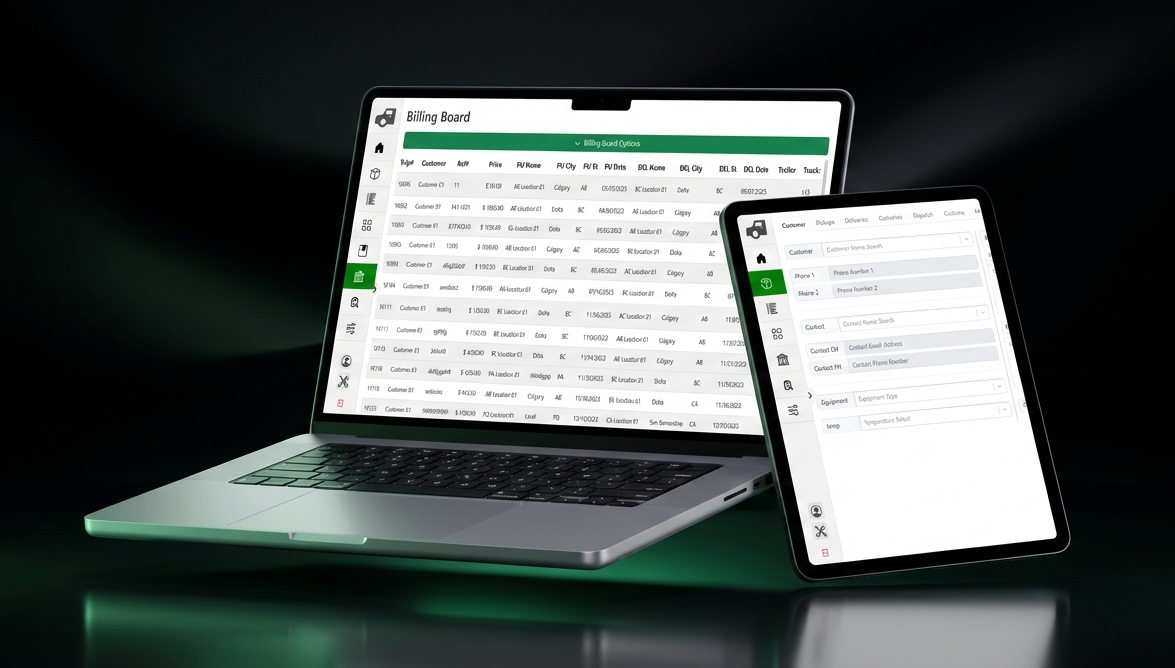
Dynatrail on laptop and tablet
Browser-based Mobile & tablet friendly QuickBooks optional

Dispatch clarity—without the chaos.

Built for small brokerages (up to 10 users) and carriers (1–40 trucks). Real-time teamwork, lightning fast entry, and dispatcher-first workflows that cut admin time.

Real-Time Dispatch Control

Multiple dispatchers, one live board. Role-based access and trip lockouts prevent overwrites while your team works in real time.

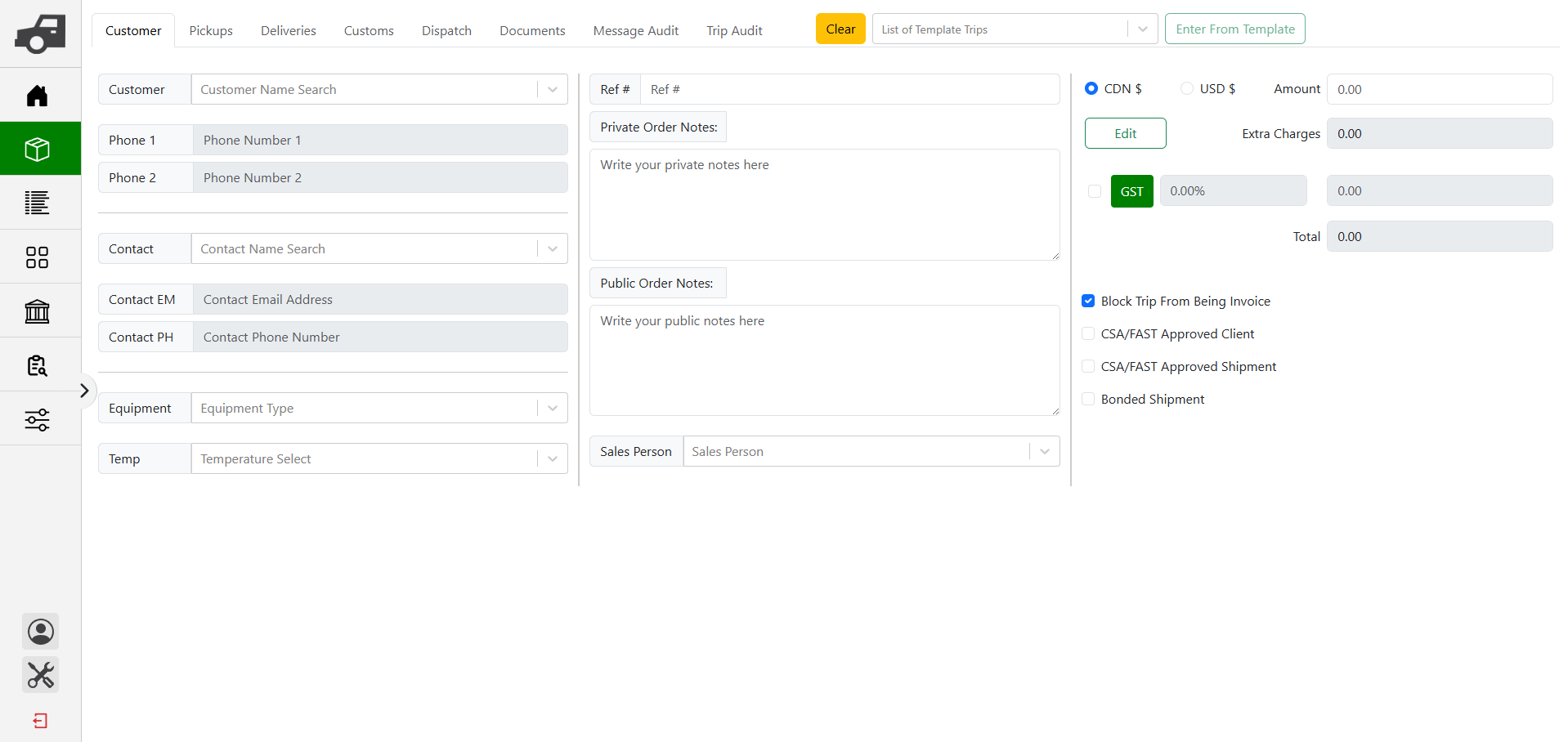
Lightning Order Entry

Enter and dispatch a load in under a minute. Trip templates save repeat lanes in ~15 seconds with saved carriers, drivers, addresses, and autofill.

Smart Multi-Terminal Routing

Set a radius for each terminal and DynaTrail auto-assigns trips to the right dispatch board—no filtering chaos. Jump between terminals anytime.

Live QuickBooks Sync (Optional)

Invoices push automatically with DynaTrail PDFs + POD attached. Paid status syncs back live. Owner-operator payroll posts as bills—no exports.

Daily Work Log

Instant snapshot of today’s pickups & deliveries by highway and terminal. Color-coded planning so you know what’s covered and what’s not.

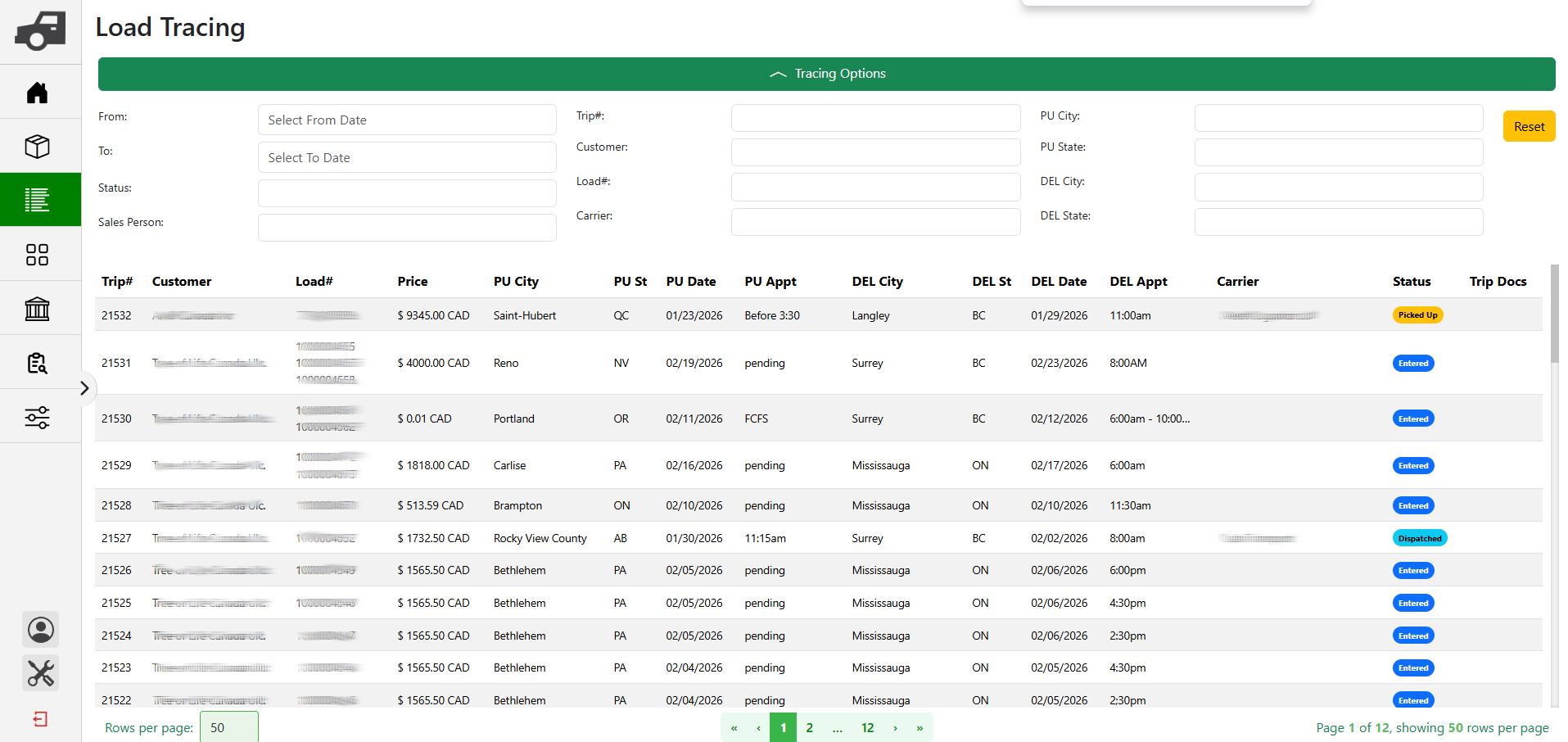
Load Tracing, Done Right

Fast research and historical lookup when you need answers now. Find past moves, details, and context without digging through spreadsheets.

Billing in Seconds

Built for dispatchers—not accountants. Bill a load in seconds and move on. Quick workflows that cut admin time every day.

The Old Way (Chaos)

  • Spreadsheets everywhere
  • Manual updates & double entry
  • Dispatchers overwriting each other
  • No accountability when things change
  • Older software with rigid fields (no customization)

From Chaos to Control — Every Day

  • Full trip audit trail (field-level “from → to” changes)
  • Trip lockouts prevent overwrites in real time
  • Driver Dispatch Board for assignments + PU/DEL updates
  • Broker-clean mode (no trucks/trailers/drivers clutter)
  • Custom equipment types, temps, and accessorials

See the product—no fluff.

A quick walkthrough of the screens dispatchers live in. Auto-preview rotates—click a step to lock.
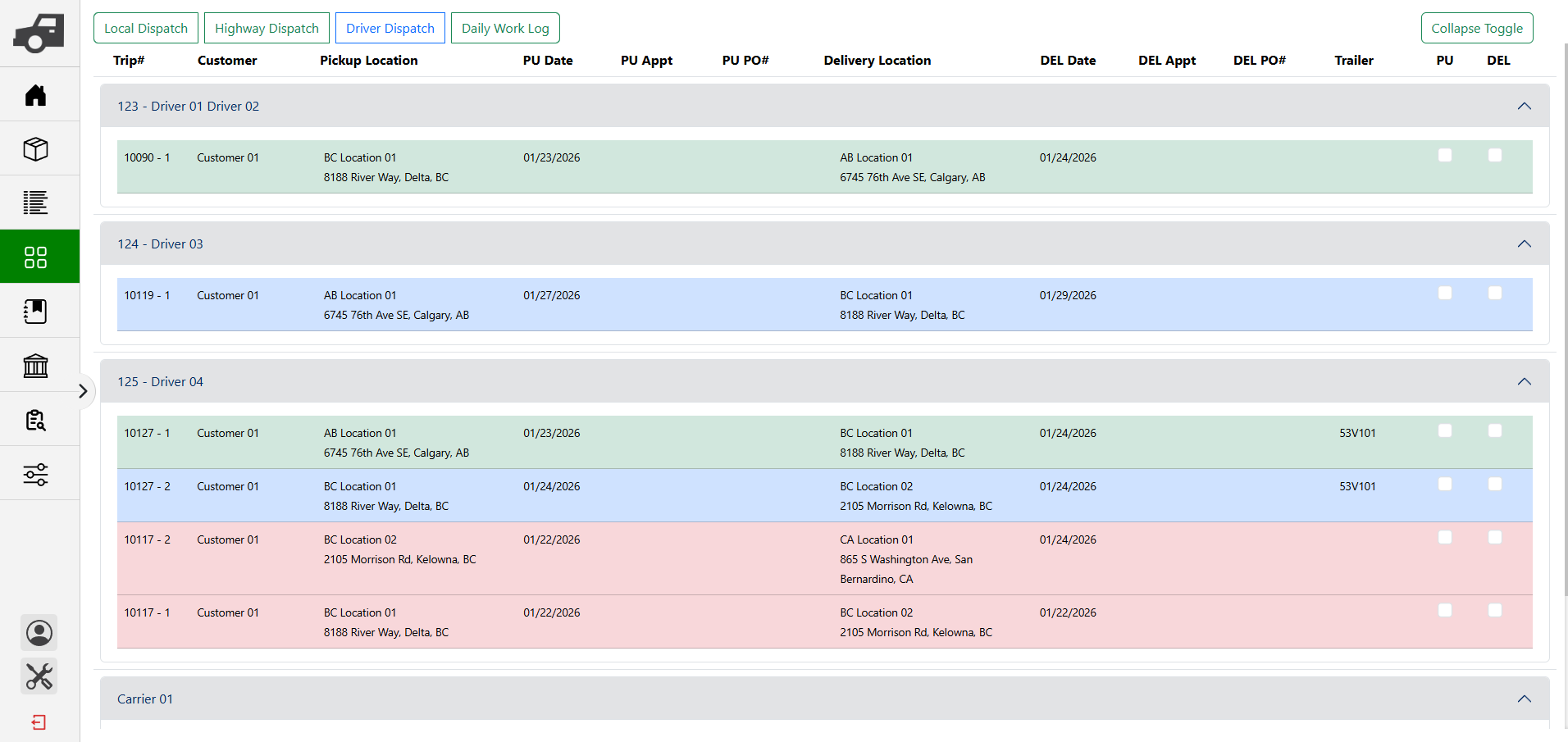
Driver Dispatch Board
See every driver—and what’s on them.
Assignments at a glance, plus PU/DEL updates from one place. Green = on schedule. Red = late. Blue = future work or in transit. No guessing.
Daily Work Log
Plan today and next week fast.
Color-coded pickups/deliveries by highway and terminal—know what’s covered and what’s not.
Trip Audit Trail
Accountability built in.
Field-level “from → to” change history with who/when across the entire trip lifecycle.
Multi-Terminal Routing
Auto-assign trips to the right terminal board.
Set terminal radiuses and run clean local ops—separate boards with no filtering chaos.
Billing + QuickBooks (Optional)
Bill in seconds. Sync to QuickBooks live.
Invoices push automatically with PDFs attached; paid status syncs back. Owner-operator payroll posts as bills.
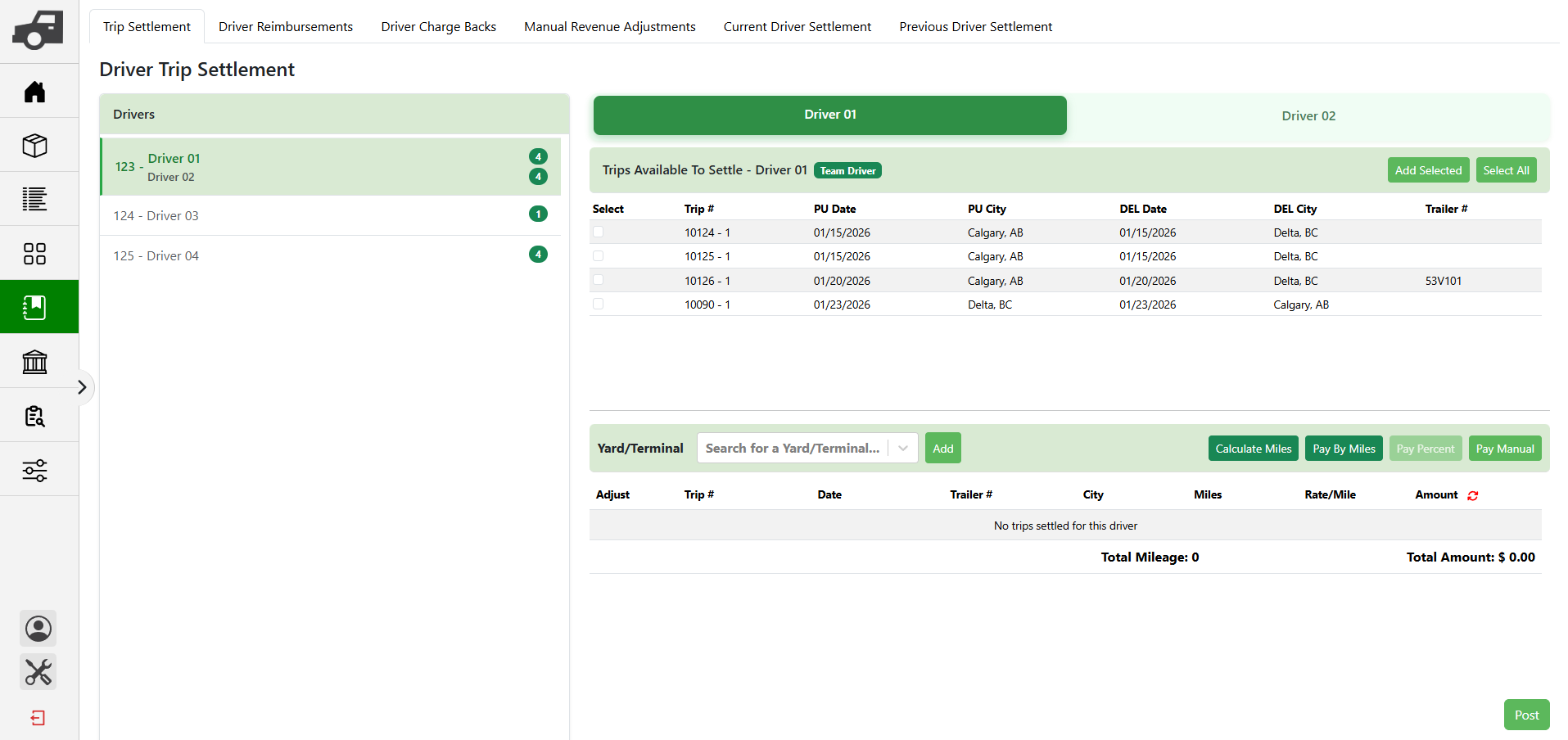
Driver Settlement
Payroll without the math.
Auto-calc pay for owner-ops or company drivers by miles or % of trip value—supports teams with automatic splits. Review, then post.
Driver Dispatch Board screenshot Daily Work Log screenshot Trip Audit Trail screenshot Multi-Terminal Routing screenshot Billing and QuickBooks Sync screenshot Driver Settlement screenshot
Auto-preview rotates. Click a step to lock the view.

Transparent pricing. No games.

Per seat for brokers. Per truck block for carriers. Switch between CAD and USD anytime.

Carrier License (Fleet Blocks)
Priced in blocks of 5 trucks (1–5, 6–10, etc.) up to 40 trucks.
1–5 trucks100 CAD
6–10 trucks150 CAD
11–15 trucks200 CAD
16–20 trucks250 CAD
21–25 trucks300 CAD
26–30 trucks350 CAD
31–35 trucks400 CAD
36–40 trucks450 CAD
  • Team trucks & terminals built in. Run multi-terminal ops clean—no filtering chaos.
  • Multi-dispatcher ready. Live boards with trip lockouts to prevent overwrites.
Broker License
100 CAD / seat / mo
No seat minimums.
  • Built for small broker teams (up to 10 users)
  • Fast workflows, quick entry
  • CAD/USD native
  • Built-in broker profit & loss reporting (true trip-level margin)
Change plan anytime. No support ticket needed.
QuickBooks sync optional. Run standalone if you want.
No contracts. Month-to-month. Cancel anytime.

Your first 30 days are on us.

We don’t call it a trial. Real operations take time to set up properly. After your demo and signup, you get 30 days to enter clients, drivers, equipment, and terminals, configure payroll and billing, train your team through the help center, and run live loads with confidence.

Billing begins after day 30. Credit card required at signup.

20 years in the trenches.

Built by transportation veterans who understand that time is money. We built the tool we wished we had when we were dispatching.

FAQ

Straight answers to the stuff that actually matters.

Do I need QuickBooks?
No. DynaTrail runs fully standalone. QuickBooks sync is optional—turn it on when you’re ready.
What syncs with QuickBooks?
Invoices push into QuickBooks with the DynaTrail invoice PDF and POD attached. Paid status syncs back to DynaTrail. Owner-operator payroll posts as bills (one-way).
Can multiple dispatchers work at the same time?
Yes. It’s built for real-time multi-user workflows. Trip lockouts prevent two people from overwriting the same trip.
Do you have an audit trail?
Full trip audit trail is built in—who changed what, when, and from what value to what value (field-level “from → to” history).
How does multi-terminal dispatch work?
Create terminals, set a local radius, and DynaTrail auto-assigns stops to the right terminal. Each terminal gets its own dispatch board—no constant filtering.
Is this built for carriers, brokers, or both?
Both. Carriers get dispatch, drivers, equipment, terminals, settlement, and billing. Brokers get a clean “broker mode” that removes carrier-only clutter and adds broker-focused reporting.
How fast is order entry?
New orders can be entered in under a minute. Trip templates save client, rate, pickup & delivery addresses, and customs broker info so repeat loads can be created in ~15 seconds. All order entry fields support autofill, and saved carrier, truck, trailer, and driver profiles eliminate retyping or spreadsheet copy/paste.
How does driver settlement work?
Drivers/owner-ops can be paid by miles or % of trip value. Settlement auto-calculates—review, then post. Team trucks are supported with automatic splits for pay and expenses.
Does it work on tablets and phones?
Built for desktop web and tablets. Phones are usable in a pinch, but dispatching is best on a bigger screen.
Can I change plans as I grow?
Yes—upgrade or downgrade anytime from your control panel. No ticket, no back-and-forth.

Ready to move more loads?

Skip the sales pitch. Talk to a product expert who knows the industry.